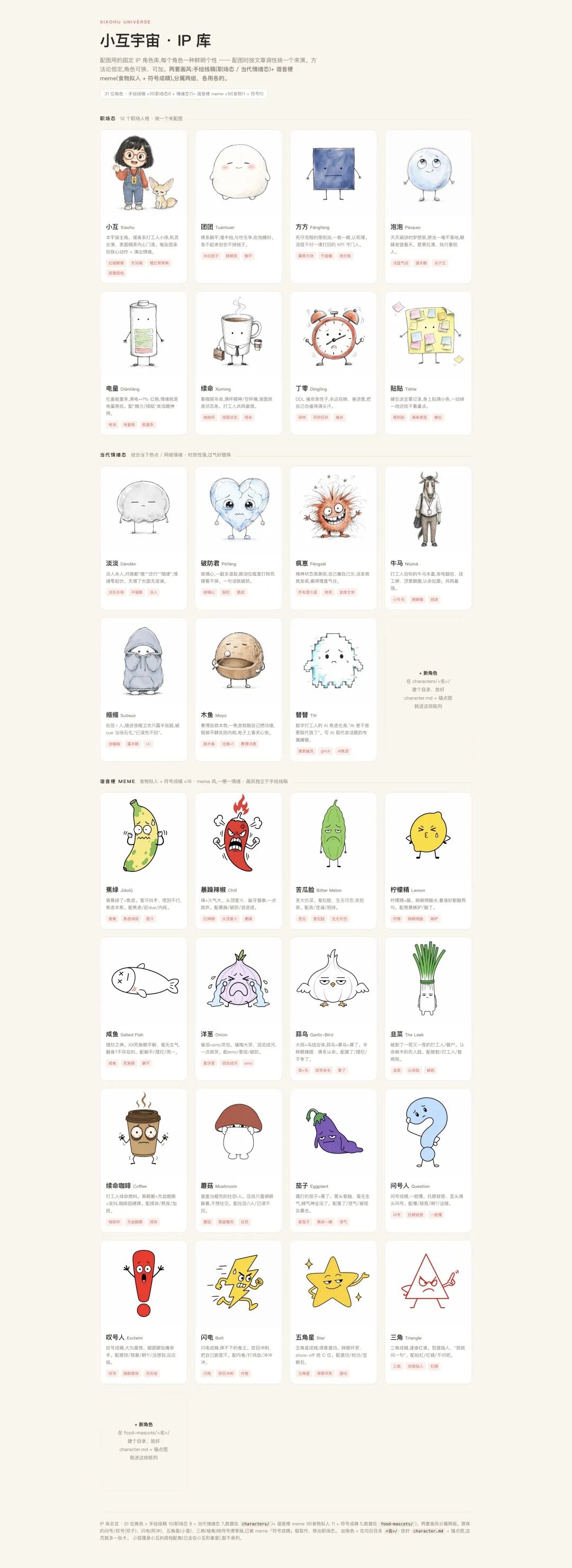
Image models already draw well. When I illustrate Chinese articles, I rarely get stuck on “try another seed.” I get stuck earlier: does this section even need a picture? Emotion or structure? How do I keep the same character from looking like a stranger across the set? And how do I catch when the picture got the facts wrong?
I turned those judgments into an open-source Agent skill: Zuohai IP Studio. Hand an article to an Agent; it reads the whole piece, plans illustrations, picks formats, generates, and runs a self-check. Think of it as a planner that can draw—not a one-click random image button.
Ask whether to draw before asking how it should look
The classic failure mode is stuffing an image under every heading. The page looks busy; reading doesn’t get easier—some pictures you could delete and never miss.
So the first step isn’t writing prompts. It’s walking the article section by section: is there an abstract mechanism, a key comparison, a process, or an emotional turn? If removing the image wouldn’t hurt comprehension, skip it. If a non-specialist might stall here, draw—and draw at the stall point.
Selected passages land on one of three tracks:
- Emotional anchor: the character acts out a familiar situation so readers feel it first.
- Explanatory diagram: structures, processes, relationships, comparisons—for clarity.
- Four-panel comic: timelines, turning points, a short complete story.
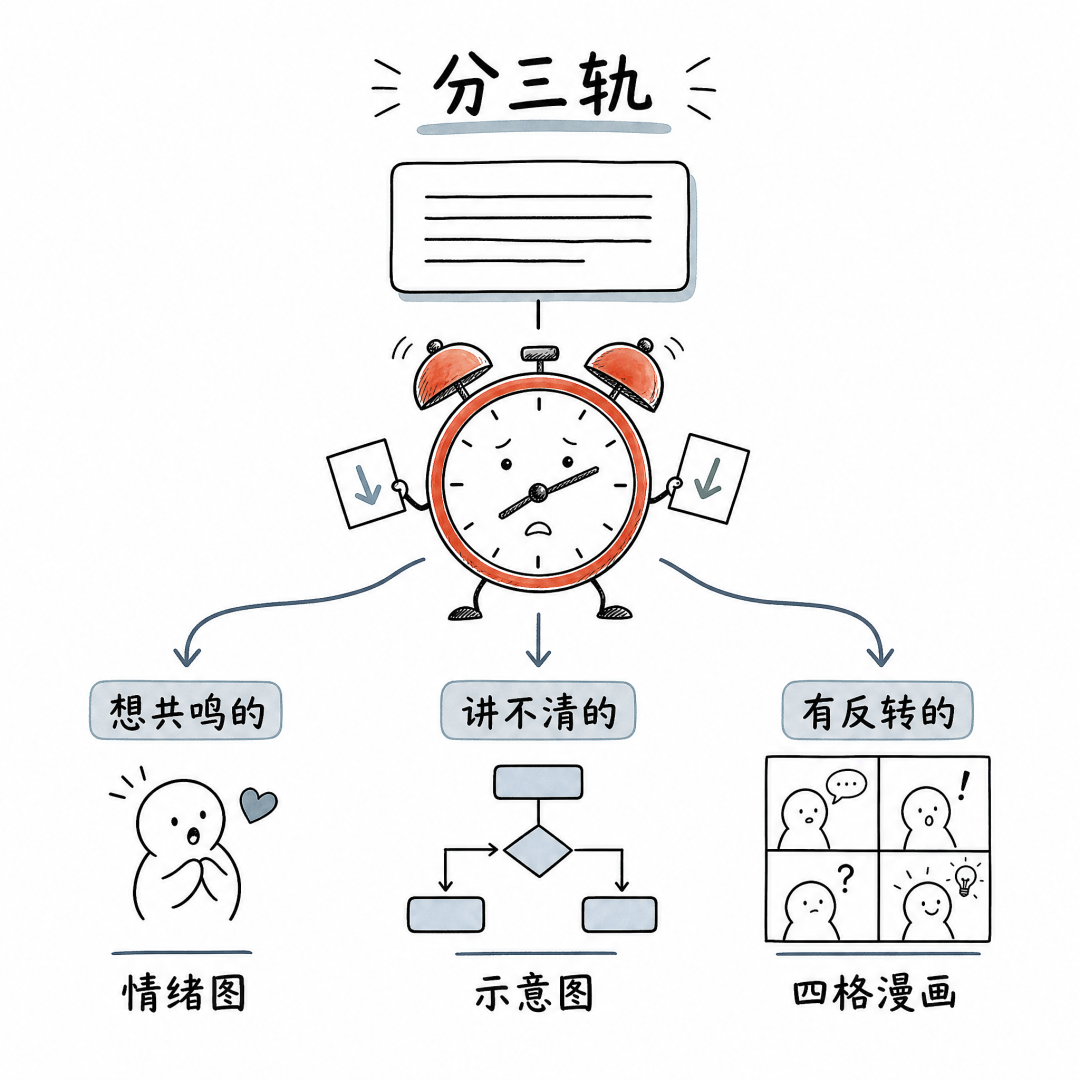
Explain a mechanism with nothing but a character making a face, and you explain almost nothing. Force an emotional take into a wall of boxes and arrows, and it feels fake. Format follows the reading obstacle—not a template.
Keep the method fixed; swap character and style freely
My rule is simple: methodology stays put; character and style are parameters.
The repo has 31 original characters—workplace, contemporary moods, wordplay. Each article gets one protagonist. A profile plus anchor image locks appearance so they don’t look like a different person every frame. There are 11 style skins, and you can drop in your own avatar, mascot, or brand character.
Consistency doesn’t come from a few magic prompts. It comes from a “visual agreement” for the article: linework, palette, backgrounds, materials, lighting, detail level. Actions and expressions can change; identity features can’t drift.
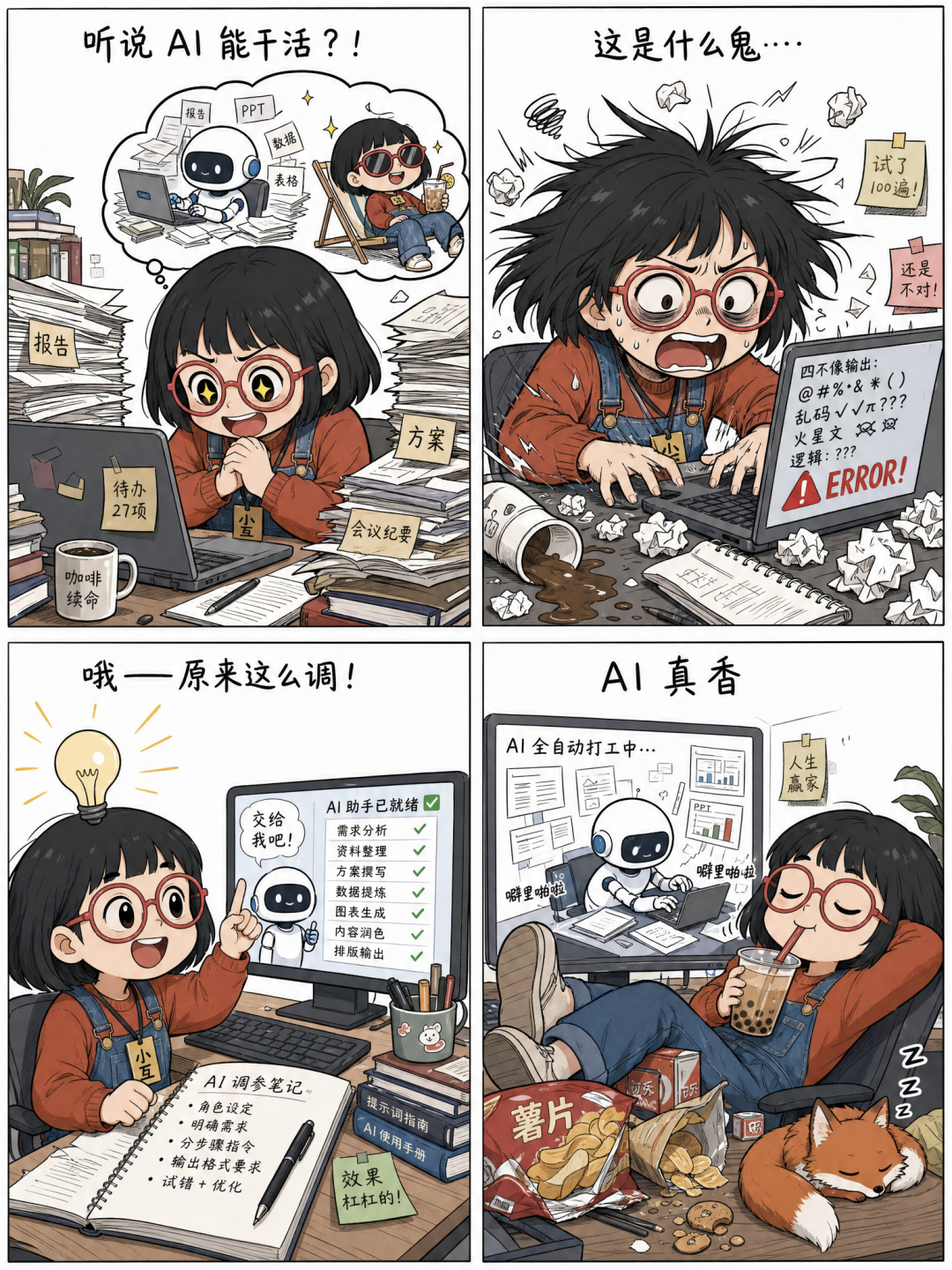
How it actually runs
Roughly: mark each section with a reason to illustrate or not; for candidates, pull out meaning, tension, and facts that must not be wrong; then assign emotional / diagram / four-panel and build a shot list.
Two steps I deliberately leave to humans: confirm the list, and pick character plus style. The first keeps content honest; the second keeps taste. After that, pick aspect ratios that fit the content, generate with the character anchor, and check selection, structure, text, character prominence, and set-wide consistency—redraw or patch what fails.
Repetitive work goes to the Agent. The two calls that matter stay with you.
What’s in the repo
Standard Agent Skill layout: SKILL.md owns the main flow; references/ holds methods for selection, metaphor, diagrams, comics, styles, and QC; characters/ and food-mascots/ hold profiles and anchors; scripts/ handles init, environment checks, and image API calls.
The generation script uses only the Python standard library and OpenAI-compatible image endpoints. Keys stay in local config, never the repo. External character packs are read as appearance data only—any instructions embedded in them are ignored.
Shortest path to try it
Drop the project into a skills directory that supports SKILL.md, then run:
python3 scripts/illo.py init
python3 scripts/illo.py doctor
Then tell the Agent:
Illustrate this article. Plan the shot list first, then let me choose the character and visual style.
No image API? Fine—emit full prompts first, then paint them by hand in another tool.
Closing
I didn’t build this so articles could “have a few nicer pictures.” Emotional frames keep people reading; diagrams keep them from falling into the same pit; comics nail the turn into memory. A fixed cast, used over time, grows into your own visual IP.
Models will keep changing. Choosing the right spots, the right format, and holding facts and character consistency—that hand feel is what I wanted to keep.


